Change management for small ops teams
Change management that fits small teams.
Standard and emergency changes, freeze windows, error budgets, restore drills, and signed reports that can help you produce evidence.
In one sentenceVaicoa is an approval layer for AI agents in IT operations: the core shows you every change as a concrete plan, you approve it on your phone, and the target system checks your signature itself before it runs anything.
The building blocks
What you know from ITIL and SRE, as rules the core enforces rather than as forms. An agent is just one more requester.
Standard change
A template in the signed roster: which routine actions run without their own approval, and within which bounds. A proposal outside the frame needs a normal approval.
Emergency change
Self-confirmed with an incident reference, then reviewed by two owners within 24 hours. Nothing destructive goes as an emergency; under strict the path is off.
Freeze and maintenance windows
During a freeze the core refuses normal and standard changes, and the nodes keep to it too. Incidents and alerts stay possible.
Error budget
From SLO files and metrics. Once the budget is spent, the service's changes are frozen or need one more approval.
Readiness review
An environment becomes production only through an approval, with a checklist the core checks itself: SLOs, alert routes, backup, restore drill, playbooks.
Restore drills
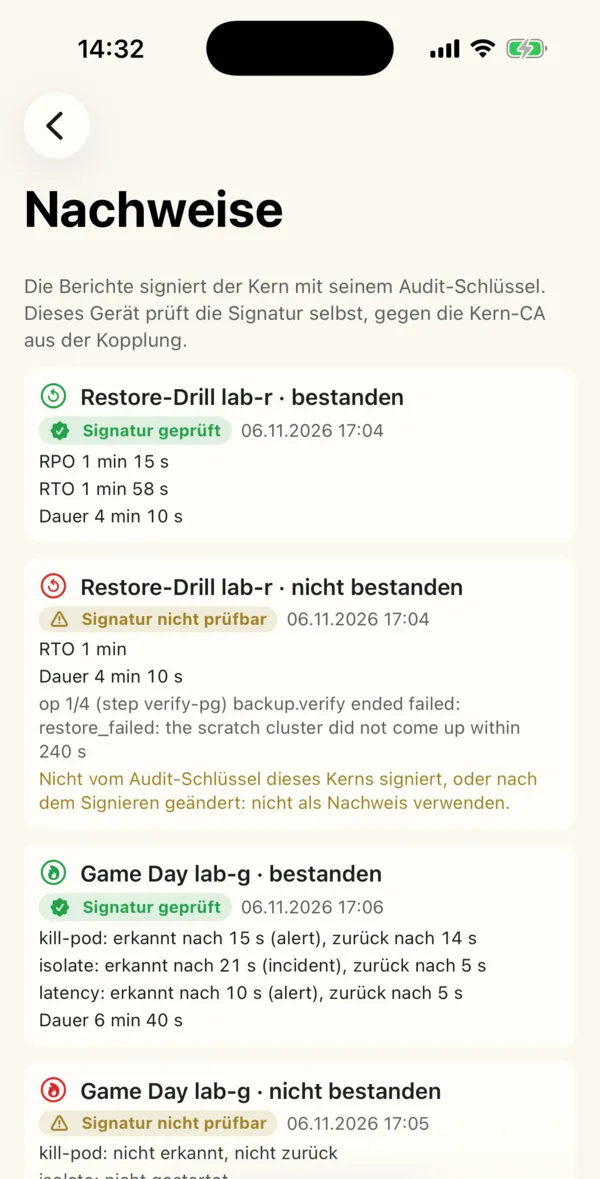
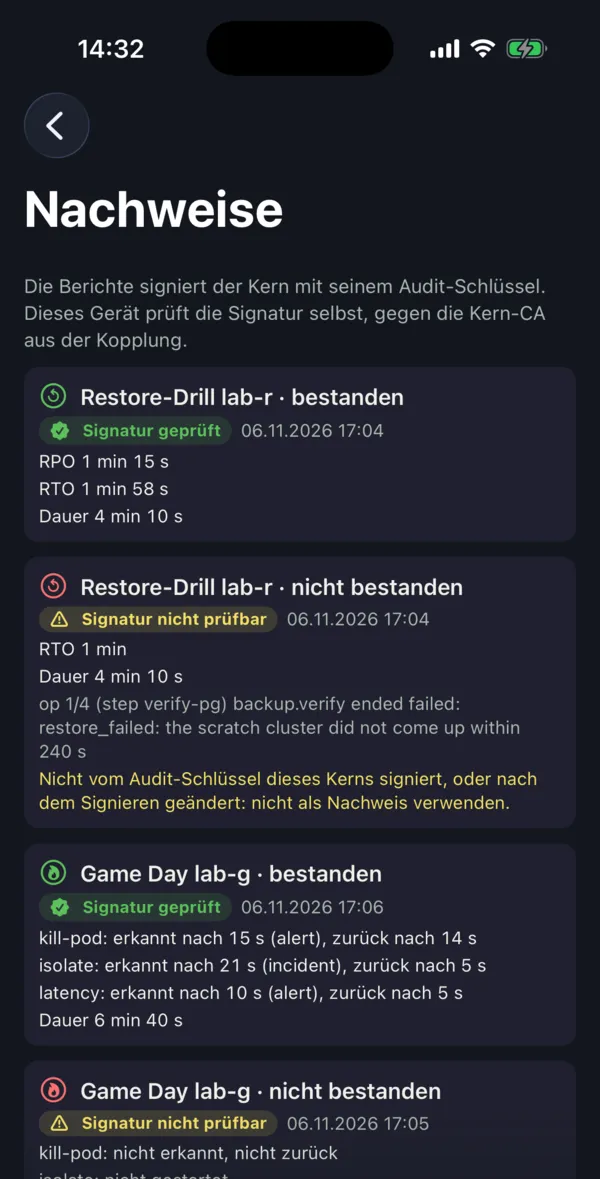
Restore backups into throw-away objects, check them, delete them. The core signs the report, with RPO and RTO, with its audit key.
Incidents and postmortems
An incident is a reference to your ticket. Every op with that reference belongs to it; the postmortem builds the timeline from the audit and names roles, not people.
Game days, access reviews
Rehearsed failures with a signed report. A regular review of who has access; what is not confirmed lapses.
Reports
DORA metrics, toil and on-call from the audit, every metric next to its counter-metric.
Evidence
Who approved what, and with which key?
Every proposal, approval, refusal and result goes into a hash chain: with the person, the device, the key's level and the channel, with the catalog and policy versions. Refused approvals are in it too; they show that the rule works. You export a time window with its chain proof and verify it offline.
That can help you produce evidence. Whether it is enough for your audit is your auditor's call. A mapping to standards such as ISO 27001 or NIS2 is not part of Vaicoa Core. More in the audit trail page.
Agents can change production. Who checks what they do?
Operations eat time
Patches, deployments, restores, incidents: in small teams this is the work that is never done. Coding agents could take on much of it.
An agent with write access is a risk
It can be wrong, or text in logs and tickets can steer it the wrong way. What it did in production is often hard to trace afterwards.
An approve button in the middle is not enough
If only the control plane checks the approval (a gateway, the CI, a chat bot), a taken-over control plane runs anything. With Vaicoa the target system checks for itself.
How it works
Six steps. Each is built and played through in labs; the limits are in the docs.
A task or an event
A trigger (webhook, signal, schedule) starts an agent, or you give it a task. It works in a session with a budget: in a sandbox on k3s, in a Forgejo Actions job or on your machine.
A proposal from the catalog
The agent sees only the actions its session may propose, from a signed catalog. A code change goes as a pull request (
git.change), a release as a tag (git.tag).Plan and policy
The core computes the plan (before → after), checks policy, freeze windows and the error budget, and says who must approve. Routine inside a standard change runs without a further approval.
Approval on your phone
The app renders the display itself from the signed catalog. You read the facts and the plan, slide, confirm with Face ID or fingerprint and sign with the device key. On a Mac and on the command line it works the same way.
The target checks
The server fetches the op and checks for itself: the signature, the signed roster, the catalog and the plan. If the state changed since the approval, it stops. Otherwise it runs exactly this plan. (Actions against third-party APIs such as Hetzner Cloud or Forgejo run in a driver at the core; there the core checks.)
The record
Proposal, approval, refusal and result go into a hash chain with a signed head. A time window can be exported and verified offline.

 The mark tells the flow: on the left the agent, segmented because it works step by step; on the right the human, solid; below, the dot: the one action. Drawn in one stroke, it is a check mark.
Three angles
What Vaicoa is most useful for is open. These three pages describe the same project from three directions.
Back to the overview →
Agents propose. You sign. The server checks.
Control →
Agents in production, but only with what you signed. Even if the control plane is taken over.
Your own infrastructure →
Self-hosted, cryptography following BSI TR-02102, no data with the maker. Podman, k3s, Cluster API, Hetzner Cloud.
Principles
A human approves
Risky actions always need a human with a key in hardware. Whoever proposes does not approve. The two exceptions, solo mode and the emergency change, are visibly marked and recorded in the audit.
Agents only with actions from the catalog
The catalog is signed and pinned. Tools and their descriptions come only from it, never from text that an agent or a third party can influence.
What you see is what you sign
The display is rendered on your device from signed data. Text from agents is shown separately below it, as an unverified claim.
The target checks
Every node checks human approvals itself against the signed roster before it changes anything on its server. The control plane can withhold an approval, but it cannot invent one.
Git is the way into production
Code changes come as a pull request or as a release tag that, after your approval, only a bot may set.
Your infrastructure
The core and the nodes run on your servers. There is no hosted service, no account and no data with the maker.
What Vaicoa is not
An experiment, not a product
I build Vaicoa and try it out in my own operations. There is nothing to buy, no hosted service and no support.
Not recommended for production
Vaicoa is an alpha. It has had internal and automated reviews, but no independent security audit yet.
Not a replacement for responsibility
Whoever approves decides. Vaicoa makes that decision binding and traceable.
Not a ticket system, not an LLM gateway
Vaicoa refers to your tickets and lets other tools propose. It governs what of that is run.
What exists today
As of 9 November 2026. "Built" means: runs end to end in a lab. None of it is released yet, not even the code.
Built
- The core, the node, the
vcxcommand line and the agent clientvaicoa-run(CLI and MCP server), in Go - Approval apps for iPhone, Android and Mac with a device key, tried in the simulator and emulator
- A signed catalog of 74 actions, among them reads for metrics, logs, traces and Kubernetes objects; your own actions as a signed layer, drafts from MCP servers
- A signed roster, quorums, the profiles
starter,standardandstrict, solo mode - Playbooks (
patch.window,release.rolloutwith canary and rollback,restore.drill), standard and emergency changes, a calendar, error budgets, incidents, postmortems, game days, access reviews, reports - Targets: a single server with Podman, k3s, Cluster API, Hetzner Cloud
Not yet
- Released: neither the code nor packages nor apps.
- A trial in my own operations: under way.
- The release key: not created yet.
- An independent security audit: none yet.
- The apps on real phones, a YubiKey on a real key: not checked yet.
- Twins with seed data: an idea, not built.
Interested? Write to me
For now, Vaicoa is my own experiment: I am working through the manual and trying Vaicoa out in my own operations. After that I will decide how it continues. If the topic interests you, you have questions or you would like to try Vaicoa yourself later, write to me.
I will get back to you personally. This is not an offer: no contract, no sale, no support promise.
About Mitja
Vaicoa is a personal experiment by Mitja Martini. mitjamartini.com
Questions
Can I buy Vaicoa?
No. Vaicoa is a personal experiment. There is no offer, no hosted service and no support contract.
Is Vaicoa open source?
Not yet: the code is not public. I am trying Vaicoa out in my own operations first and will decide afterwards how it continues. The current idea is to release it as open source.
Is there support?
No. I answer questions when I can. Please report security issues privately to security@mitjamartini.com.
Does Vaicoa send you data?
Not on its own. The core fetches the signed release feed, without a key and without an account. Two commands send something, and only when you run them, with a preview: an aggregated usage report (usage report --preview, then --send) and a case study (usage casestudy --share). The receiving end is not in operation yet.
What happens next?
I am trying Vaicoa out in my own operations. After that I will decide how it continues; the current idea is open source. More on the project status page.
Can I use it in my company?
Not yet: the code is not public, and Vaicoa is an alpha. If the topic interests you, write to me.
Does it help with ISO 27001 or NIS2?
Vaicoa records who proposed and who approved what, and can help you produce evidence. Whether it is enough is your auditor's call. Vaicoa Core contains no mapping to standards.
Why not just an approve button in the agent framework?
The button protects only as long as the framework is not taken over. With Vaicoa you sign on your device, and every server checks your signature itself before it runs anything.